Buyer’s guide
Best IPTV box: what an Android box adds, and the specs worth paying for
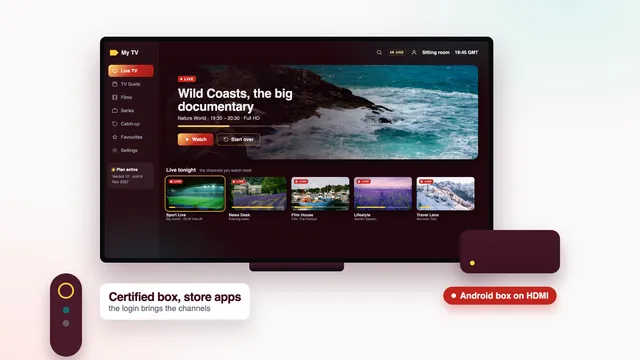
The best IPTV box is an Android device that runs a good player smoothly, takes a network cable and keeps receiving updates, not one that claims to have channels inside. This guide sets out what a box adds over a smart TV app or a stick, why certification matters, which specs earn their price and which are padding, how to set one up and when it is worth buying at all.
Box against TV app: the extras, and the one thing missing
An Android box is a small computer that connects to the TV by HDMI and runs apps on the big screen. For IPTV, its one job is to run the player that opens your login. Set against a smart TV’s own store or a basic stick, a good box brings:
- Google Play and its full shelf of Android TV players, Smarters Pro, TiviMate and Kodi among them, rather than whatever a TV maker’s store happens to carry.
- A network socket on the back, which sticks lack.
- Updates of its own, so the player keeps working after the TV maker stops updating the television.
- Room to breathe: more memory than a basic stick, which shows when a guide covering thousands of channels loads.
- USB ports for a keyboard or a mouse, which make the login quicker to enter.
What no box supplies is channels. Access is the login in your message: type it into a phone, a stick or a box and the same 40,000+ live channels appear, with the 120,000 films and series and a week of listings. Nor can a box sharpen a channel past its source; a programme sent in HD stays in HD on the dearest box in the shop.
So the useful question is not which box has the most channels. It is whether the box runs the player you want, smoothly, on your line, for years. The best IPTV box, in that sense, is the one you stop noticing.
Certified Android TV and Google TV boxes against uncertified ones
Boxes sold online as ‘IPTV boxes’ are usually Android boxes, and they split into two camps.
Certified boxes
Certification for Android TV or Google TV means the box has met Google’s requirements. It ships with Google Play, receives security updates, and runs the TV versions of apps, laid out for a remote instead of a finger. Players install and update from the store just as they do on a certified television.
Uncertified boxes
Uncertified boxes often run an older Android built for phones, with a home screen laid over it and no updates after the day they ship. Apps may install, but some appear in a phone layout that is awkward with a remote, and security holes stay open. The low price is the draw; what is missing is usually why it is low.
How to tell them apart
- On the listing or the packaging, look for the Android TV or Google TV name, not just ‘Android’ followed by a version number.
- At first start, a certified box asks for a Google account and opens on the Android TV or Google TV home screen, with rows of apps and suggestions.
- In the Play Store’s settings, most certified boxes show a Play Protect certification line that reads ‘Device is certified’.
- If the listing never says which system the box runs, ask before paying. Silence is an answer in itself.
The best IPTV box specs, in one table
These are the lines worth comparing on a listing. They follow from what a player needs to show 4K smoothly on a home line, not from what makes a spec sheet look long.
| Line on the listing | What it changes | Aim for |
|---|---|---|
| Certification | Google Play, updates and apps built for a remote | Android TV or Google TV |
| Video output | 4K films and 50-frame sport need it on the HDMI lead | 4K at 60 Hz through HDMI 2.0 or later |
| HEVC (H.265) decoding | Most 4K streams use it, and software decoding stutters | Hardware decoding, stated on the listing |
| RAM | Big channel lists and a 7-day guide load without lag | At least 2 GB |
| Ethernet | The steadiest path for the 25 Mb/s or so each 4K screen draws | A socket on the box |
| Wi-Fi | The fallback when no cable reaches | 5 GHz support |
| HDR | Richer 4K pictures where the source has it | The HDR formats your TV also supports |
| Storage | Room for the player, its guide and system updates | A few GB free after setup |
The HDMI chain matters as much as the box. A 4K box on a TV input limited to Full HD, or routed through an old HDMI switch or soundbar, hands the TV a lower resolution than it could show.
The specs that matter less than the box suggests
Listings for cheap boxes lean on big numbers. These rarely change how a player behaves:
- 8K output. Pictures on the Verdict plans go up to 4K UHD by source, so an 8K label has nothing to show, and it says nothing about how well the box decodes 4K.
- Gigabit Ethernet. One 4K stream draws around 25 Mb/s, which a 100 Mb/s port carries with plenty to spare. Having the socket matters far more than its maximum speed.
- The core count. Whether HEVC is decoded in hardware tells you more than whether the processor has four cores or eight.
- Huge memory and storage figures. Numbers far above what the price would suggest are worth doubting, and past 4 GB of RAM a player gains little.
- The newest Wi-Fi standard. Useful in a crowded block of flats, but idle once the box is on a cable.
- Pre-installed apps. Anything worth having is in Google Play; anything that is not is a reason for caution, as the next section explains.
Boxes sold with channels already inside
Some boxes are advertised as ready to watch, with channels promised for a one-off price or ‘for life’. The channels never live in the box. They come from a login someone else set up, and you get no end date on paper, no refund window counted in days and nobody to ask when it goes dark. When it does, the box is simply a box again.
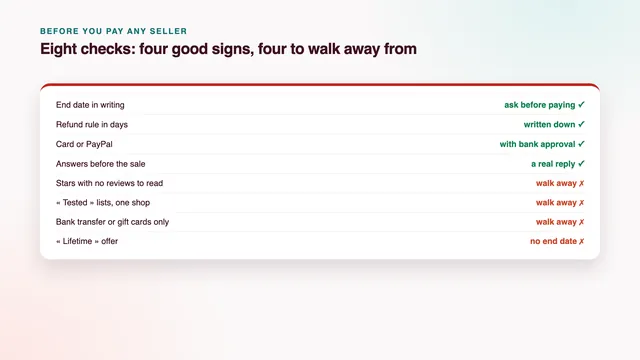
The warning signs match those for any seller: they will only take a bank transfer, gift cards or crypto; they promise ‘lifetime’ access without an end date in writing; they go quiet when you ask a question before you pay.
Our plans work the other way round. You choose and own the device, the access is a login with its end date written in the message, and the 7-day money-back rule is set out in the refund policy.
Setting up a box, from the plug to the first channel
- Run an HDMI lead from the box to a 4K-capable input on the TV, connect the network cable where one reaches, and plug in the power last.
- Work through the start-up screens: language and region (English, Ireland), Wi-Fi if there is no cable, and your Google account so that Google Play opens.
- Let the box install its system updates before anything else; it may restart once or twice.
- Open Google Play, search for your player, check the developer’s name and install it.
- Start the player, pick its Xtream Codes login, and copy in the three details from your message. A USB or Bluetooth keyboard turns this into a one-minute job.
- In the box’s display settings, choose 4K at 50 or 60 Hz on a 4K TV, and turn on frame-rate matching if the system offers it.
- In the player, pick hardware decoding, and move the EPG time offset by an hour should the guide run early or late.
More on the player’s settings sits on the setup page, screen by screen, and the side-by-side table of player apps helps if you prefer something other than Smarters Pro.
When a box is worth paying for
A box earns its price in a handful of cases:
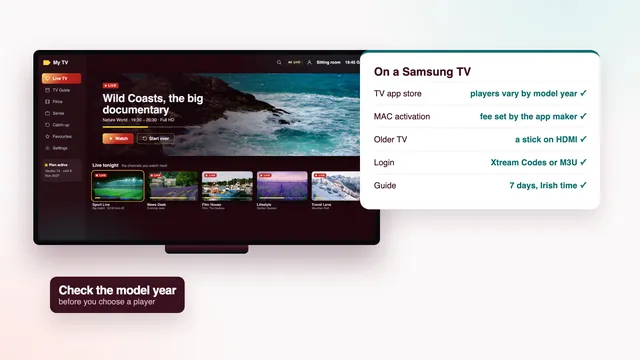
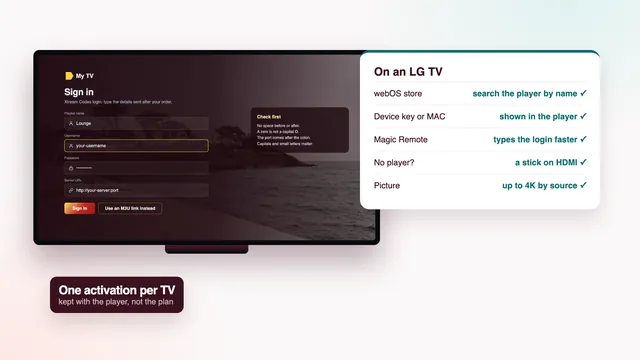
- The TV’s store has no usable player. Sets from before roughly 2018 often miss current player versions, and some Samsung and LG models lack Smarters Pro; the Samsung TV guide and the LG TV guide show what the TV can do on its own first.
- You want a cable on the main TV. Sticks need an adapter for Ethernet; a box has the socket.
- You want TiviMate or Kodi on the big screen, and the TV’s own store does not carry them.
- The screen has no smart apps at all, such as a projector or a computer monitor.
It is not worth it when the TV already runs a good player from its own store, or when a 4K or 4K Max Fire TV Stick already sits behind the set. Amazon’s Fire TV Cube sits in between: a box of Amazon’s own, with a socket on recent models and the same Downloader route as the sticks, which the Fire TV stick and Cube guide covers. For many homes, the best IPTV box turns out to be no box at all.
Prices vary by store. Pay for certification and the lines in the table, not for a bigger number printed on the packaging.
The scorecard checks a box affects
Five of the eight checks on our scorecard change with the box you choose:
- Picture on your line (HD, Full HD, 4K by source): hardware HEVC decoding, 4K output at 60 Hz and a cable decide whether 4K sources look like 4K.
- Programme guide (7 days, on Irish time): the player you pick from Google Play shows the 7-day guide, and its offset setting corrects an hour’s drift.
- Catch-up (the last 7 days): Smarters Pro and TiviMate both show the archive on channels that keep one.
- Your screens (TV apps, sticks, boxes, phones): a box takes up one screen, the same as a stick, a TV app or a phone.
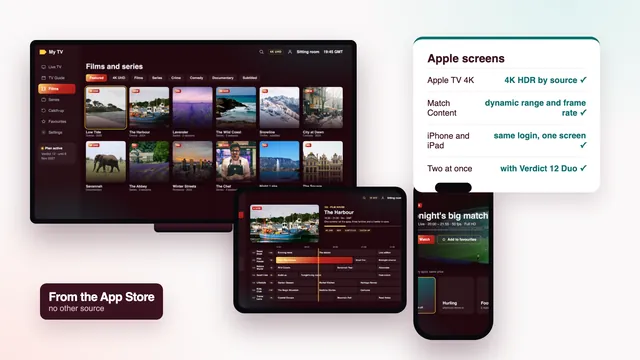
- Two TVs at once (with Verdict 12 Duo): each TV needs its own box or stick; one login then plays on both together.
The login time, the money-back window and the help hours depend on us, whatever sits under the TV. Those three, and the rest of what separates a good plan from a poor one, are set out in our scorecard for the best IPTV.
For a single box on the main TV, Verdict 12 at €49 covers 12 months at €4.08 a month; Verdict 24 spreads €89 over 24 months; Verdict 12 Duo at €79 covers a box in the sitting room and a stick upstairs at the same time. Compare all four plans, or open the plans page for the price per day.
Frequently asked questions
Does an IPTV box come with channels?
No. The box only runs the player; the channels arrive with the login you enter into it. A box sold as ready to watch is leaning on someone else’s login, with no end date you can see.
Is the Fire TV Cube a box or a stick?
It is Amazon’s own box, standing on the TV unit rather than hanging off the HDMI input. It handles 4K and HDR whenever the source does, recent models take a network cable directly, and the player goes on with Downloader as on the sticks. Check the operating system before buying, as with any recent Amazon device.
How much RAM does a box need?
At least 2 GB keeps a large channel list and a 7-day guide moving. Extra memory beyond that helps less than you might think, so spend the difference on certification and hardware HEVC decoding instead.
Is an uncertified box always a bad buy?
Not always, but the odds are against it. Without certification the box often runs an old Android with no updates, and apps may appear in a phone layout that fights the remote. A certified box stays easier to live with for longer.
Can one box feed two TVs?
No. A box sends one picture through its HDMI output to one television. Each TV needs its own box or stick, and two playing at once needs Verdict 12 Duo, at €79 for 12 months.
What is the best IPTV box for an older Full HD television?
Any certified box with the specs in the table will do, since a 4K box sends Full HD to a Full HD set without fuss, and it stays useful when the TV is eventually replaced. A Fire TV Stick Lite is the simpler alternative if the set will never show 4K.