When someone asks us which is the best IPTV, this list is our answer. Run these checks on any offer you are weighing up, ours included. They come from the questions that decide whether a plan still feels like good value in February: the picture, the guide, catch-up, your devices, delivery, screens, refunds and help. Price sits underneath all eight, because a cheap plan that fails three of them is not cheap for long.
1. The picture on your own line
What to look for. Picture quality is a promise about two things at once: what the source sends and what your broadband can carry at the busiest hour. The best IPTV for a house on full fibre may disappoint in a cottage on fixed wireless, through no fault of either. A careful seller names the picture levels that exist, explains that each channel and each film has its own, and asks what speed your television actually sees in the evening.
Where a weak service slips. Every channel carries a 4K label, and the picture turns soft or stops the moment the evening gets busy. Nobody asks about your line before you pay, so the first you hear of the problem is a spinning wheel halfway through the second half.
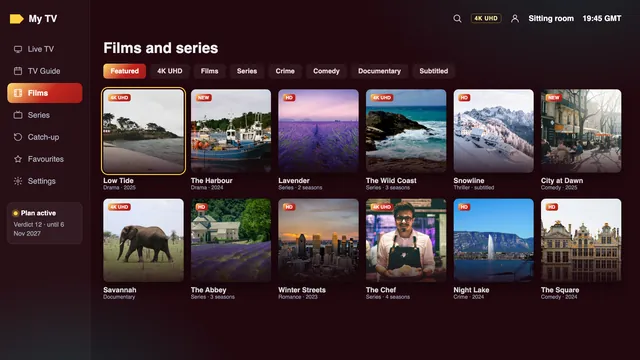
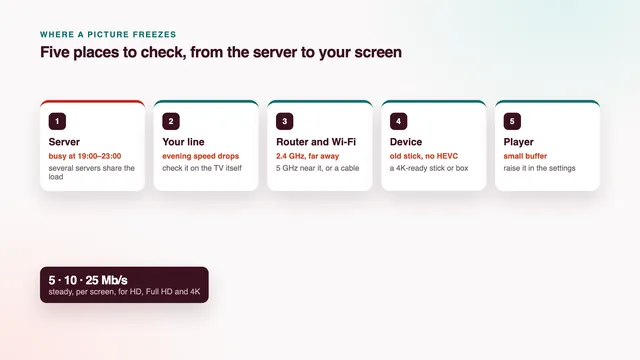
Our plans: HD, Full HD, 4K by source. Three levels: HD, Full HD and 4K UHD at 3840 × 2160, with each channel or title arriving at the level its source was produced in. Budget 25 Mb/s for every 4K screen; Full HD gets by on roughly 10, plain HD on 5. Those are evening figures that hold, read on the device itself. No 8K is offered, and nobody here will tell you the whole list is in 4K.
2. A programme guide on the clock you live by
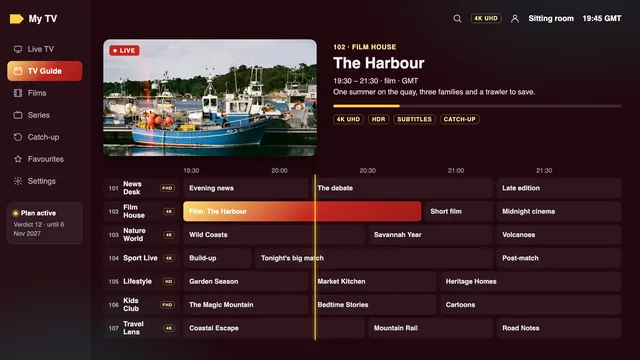
What to look for. A guide is what turns a long channel list into something you can use after a day’s work. Look for seven days of listings that come with the login, with no second account or extra purchase, and times that agree with the kitchen clock in January and again in July.
Where a weak service slips. Half the channels show no listings, or only the next hour, or the whole guide runs on another country’s time, so the evening film starts an hour before the listing says it will. After the clocks change, it never quite recovers.
Our plans: 7 days, on Irish time. Seven days of listings travel inside the Xtream Codes login, already on Irish time. That means GMT through the winter, while IST takes over when the clocks go forward (March’s last Sunday) and hands back when they go back (October’s last Sunday). Should a player show everything sixty minutes adrift, nudging its « EPG time offset » by an hour fixes it.
3. Catch-up that reaches back far enough
What to look for. Catch-up lets you start a programme that has already gone out, straight from the guide. Ask which channels keep an archive and how many days it holds, then look for the catch-up mark beside past programmes once your player has loaded the guide.
Where a weak service slips. Catch-up is printed in the advert, but the archive is empty, or holds only a few hours, so the game you missed on Saturday afternoon has vanished by Monday evening.
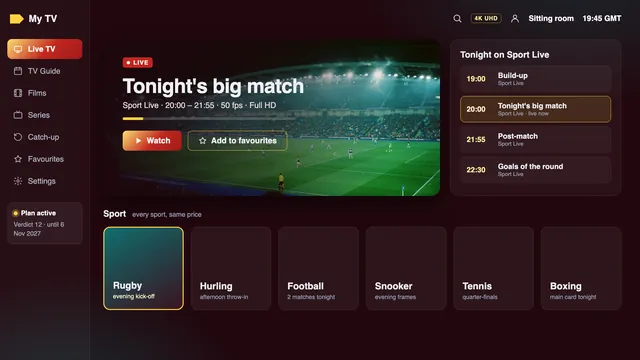
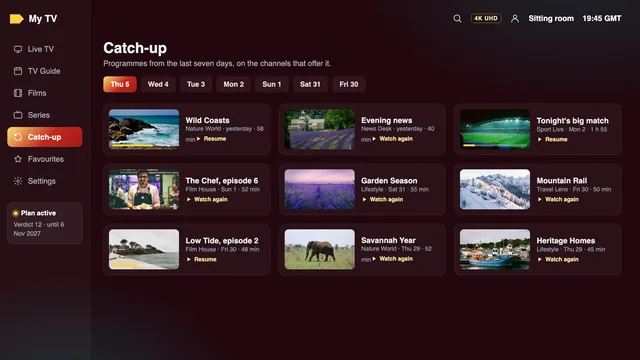
Our plans: the last 7 days. Catch-up generally reaches a week into the past (up to 7 days) wherever a channel keeps an archive. Channels with no archive are live only, and the guide marks the difference.
4. Your screens, with nothing new to buy
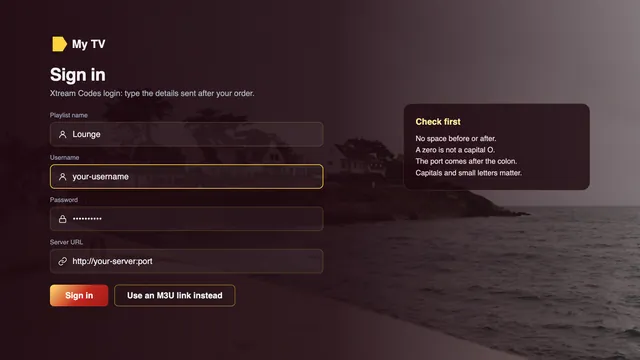
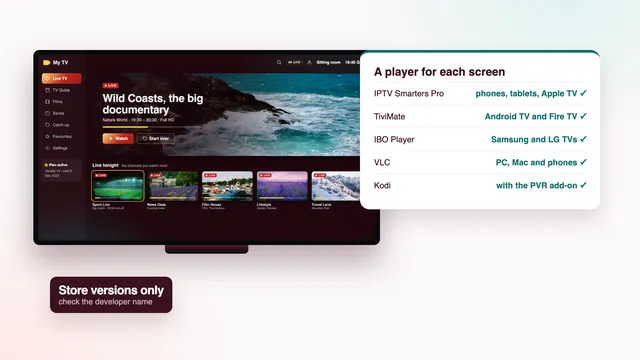
What to look for. The best IPTV for a Firestick, a Samsung set or an iPad is one whose login opens in a player from that device’s own app store. Ask which login format you will receive. Xtream Codes, which is three lines (a username, a password, the server’s URL), and an M3U link between them open almost any player you are likely to meet.
Where a weak service slips. The seller pushes its own box, or sends an app file from a forum along with instructions to switch off your device’s safety settings. When you change TV, you start from nothing.
Our plans: TV apps, sticks, boxes, phones. A single message holds the Xtream Codes lines, an M3U link and the guide’s link. IBO Player, Kodi, XP IPTV, Smart IPTV, VLC, IPTV Smarters Pro and TiviMate all accept it, whether on a TV app, a stick, a box, a phone or a computer. Best IPTV sells no app, no box and no stick.
5. How fast the login arrives
What to look for. A stated delivery time in minutes, and an answer to whether it holds at night and on a Sunday. If you order on a Saturday afternoon with a match at three, the best IPTV service in the world is no use to you when its login turns up on Monday.
Where a weak service slips. « Within 24 hours », or a login that arrives only after you have sent three reminders. Some sellers simply hold every order until the office opens.
Our plans: 2 min after payment. Allow 2 minutes or so between your bank saying yes and the login turning up on WhatsApp or in your inbox, day or night. Inside are the three Xtream Codes lines, plus M3U and guide links and the last day of your plan.
6. Two TVs at the same time
What to look for. How many screens can play at once on one login, written down before you pay. A one-screen plan suits a flat with one television; a family with a sitting-room TV and a bedroom TV needs two streams at the same moment.
Where a weak service slips. A single-screen plan is sold to a household that plainly needs two, and the second TV knocks the first off at the worst possible time. Or « multi-screen » is promised with no number attached to it.
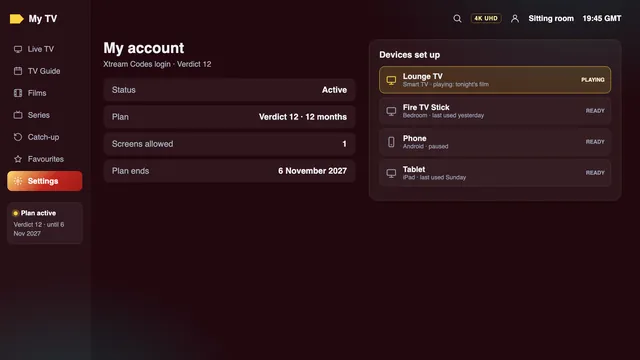
Our plans: with Verdict 12 Duo. Verdict 3, Verdict 12 and Verdict 24 each stream to a single screen. Verdict 12 Duo runs two screens side by side for a year. Nothing above two screens is sold. All plans cover one household; passing a login to another address, or posting it online, risks suspension.
7. A money-back rule with a number in it
What to look for. A refund rule in writing before you pay, giving a number of days and the situations it covers. Warm words such as « satisfaction guaranteed » mean nothing until they say for how long, and in which cases.
Where a weak service slips. No refund rule at all, « no refunds on digital goods » discovered after the money has gone, or a rule that only applies if you complain within the first hour.
Our plans: 7 days if nothing plays. 7 days from payment, if no login reached you or if not one television in the house will play, even with the team on the case. Not covered: a change of heart, or 4K that your line cannot sustain after we had told you what 4K asks for. Refunds travel back the way the money came, to the same card or PayPal account.
8. Help that answers when you need it
What to look for. When help answers, by what route and in what language. The quickest way to find out is to ask a question before you pay: the time the reply takes, and whether it deals with your actual TV, tell you most of what you need to know. A seller that ignores you before the sale is unlikely to be the best IPTV provider Ireland can offer once your money has gone.
Where a weak service slips. A contact form and then silence. Questions before the sale go unanswered, and afterwards every answer is the same pasted paragraph, whatever model of TV you mentioned.
Our plans: 24/7, WhatsApp or email. Any hour of any day (24/7), on WhatsApp or by email to [email protected], in English. Pre-sale questions are welcome: tell the team your TV or stick model and a speed figure taken in the evening, and the reply will suggest a plan and a player for that set-up.
Notice what is not on the list. A channel count tells you little once it passes a few thousand, because nobody scrolls through all of them; what matters is whether the groups you watch are there and in order. For us that means 40,000+ channels sorted by country and then category, with the Irish groups first.
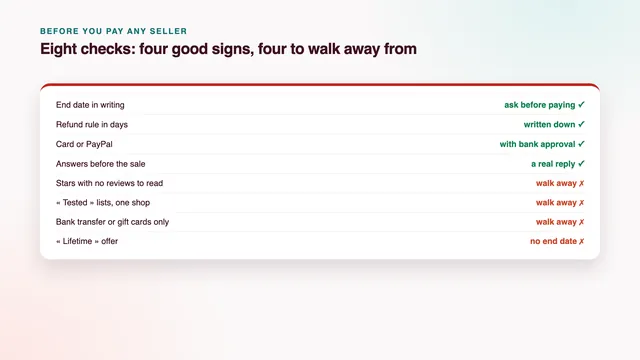
If an offer passes the left-hand column on paper, the right-hand column is where it earns your money. Keep notes as you go: the time the login came, the evening speed reading, the channel that froze, if any. Those notes are what a seller needs to help you, and what you need if you ask for a refund.